Aardappel Posted November 29, 2025 Posted November 29, 2025 On 11/22/2025 at 3:39 AM, qrzy said: New Wolfenstein ET Bloopers #9 compilation us UP! Spongebob Squarepants soundtrack fits this video perfectly, and almost all background music comes from this TV show except one song before the final one. Previous compilation was done on 27 december 2024, so it is almost a year worth of funny, weird and unusual content. I have much more recordings but those are probably less interesting, so I will release a bonus video later right before christmas eve. Initially I planned to upload this on friday evening (european time), but youtube had an aneurysm and failed at converting the video. Apparently youtube doesn't accept much newer x265 video compression, so I had to re-render it to x264 at higher bitrate and upload it again. @Hannu remember that from 0:43 until 0:56 😆😆 1 1 Quote
HarryAimpotter Posted December 16, 2025 Posted December 16, 2025 (edited) On 12/15/2025 at 2:05 AM, Armagedonyx said: First video I'm posting here. It's short, maybe not the best gameplay but I hope you'll still like it guys. I liked your video. I think you have great movement skills. Just out of curiosity - is that how you normally connect to the server? Lauch game - select mode - jaymod - play online - jaymod xp save ? If so, I recommend you just create a shortcut with this in target line : +set com_hunkMegs 768 +set com_zoneMegs 64 +set com_soundMegs 160 + connect 135.148.137.185:27960. That way, you can just double-click on the shortcut on your desktop and it will automatically connect you to jay1. I have these shortcuts set up for different FA servers (beg2, silent1, NQ1, jay1). Another tip is that you don't actually have to write the entire command to console. To change setspwnpnt for example, just type first few letters of the command (sets...) and press tab and the console will autocomplete the command. These are just few tips, you don't have to follow them ofc. Good Luck and see you in the server! Edited December 16, 2025 by HarryAimpotter 1 1 Quote
Leatherface Posted December 16, 2025 Posted December 16, 2025 @Armagedonyx In your video, we can see your guid Quote
Armagedonyx Posted December 16, 2025 Posted December 16, 2025 (edited) 2 hours ago, Leatherface said: @Armagedonyx In your video, we can see your guid Oops, my bad, I'm editing the video to remove the menu screen. Edited December 16, 2025 by Armagedonyx Quote
Leader RedBaird Posted December 16, 2025 Leader Posted December 16, 2025 4 minutes ago, Armagedonyx said: Oops ! How to hide it ? You should start the recording after you have connected to the server. It looks like you have some kind of auto-record set, which captured all your ETLegacy session! You could stop that recording and then start a new one if you think that you might share it in public. Quote
Armagedonyx Posted December 16, 2025 Posted December 16, 2025 Just now, RedBaird said: You should start the recording after you have connected to the server. It looks like you have some kind of auto-record set, which captured all your ETLegacy session! You could stop that recording and then start a new one if you think that you might share it in public. I used the Nvidia gamepad to make the video. I press 2 keys and it starts recording the game session. Quote
Armagedonyx Posted December 16, 2025 Posted December 16, 2025 3 hours ago, HarryAimpotter said: I liked your video. I think you have great movement skills. Just out of curiosity - is that how you normally connect to the server? Lauch game - select mode - jaymod - play online - jaymod xp save ? If so, I recommend you just create a shortcut with this in target line : +set com_hunkMegs 768 +set com_zoneMegs 64 +set com_soundMegs 160 + connect 135.148.137.185:27960. That way, you can just double-click on the shortcut on your desktop and it will automatically connect you to jay1. I have these shortcuts set up for different FA servers (beg2, silent1, NQ1, jay1). Another tip is that you don't actually have to write the entire command to console. To change setspwnpnt for example, just type first few letters of the command (sets...) and press tab and the console will autocomplete the command. These are just few tips, you don't have to follow them ofc. Good Luck and see you in the server! Thanks for the tips ! I will remember about the command shortcut. Not sure if I need that many shortcuts on my laptop though ! 😅 Quote
Leader RedBaird Posted December 16, 2025 Leader Posted December 16, 2025 2 hours ago, Armagedonyx said: I used the Nvidia gamepad to make the video. I press 2 keys and it starts recording the game session. You sure won't see those menus appearing in the ET Recorded videos! 😄 That could be useful, sometimes! Quote
Platinum VIP Snake in the Grass Posted December 23, 2025 Platinum VIP Posted December 23, 2025 On 11/29/2025 at 1:54 PM, Aardappel said: @Hannu remember that from 0:43 until 0:56 😆😆 0:39 wow the pushback on Eagles 2 Way axis last spawn is super strong 😁 3:38 looooooooooool Quote
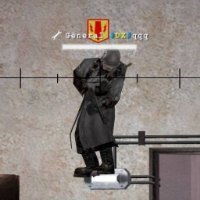
ET Member Amnz Posted December 26, 2025 ET Member Posted December 26, 2025 can't believe i did that 5 1 Quote
Armagedonyx Posted December 26, 2025 Posted December 26, 2025 4 hours ago, Amnz said: can't believe i did that Noooo Santa ! 😭 Bad Amnz, no gift for you next Christmas ! 😠 /j 2 Quote

Recommended Posts
Join the conversation
You can post now and register later. If you have an account, sign in now to post with your account.